
After login into account, click on Account. You will be able to view your User Details such as
email address (username) and if you have any active subscription plan
You can view and edit your Customer Details such as company name, full name etc.
You can also view Quota Usage in your current subscription plan such as total jobs created,
total candidate applications, total experiments created and total interview trackers created
After login into account, Please go to Account > Change Password
Follow the instructions to change the password
After login into account, Please go to Account > Subscription
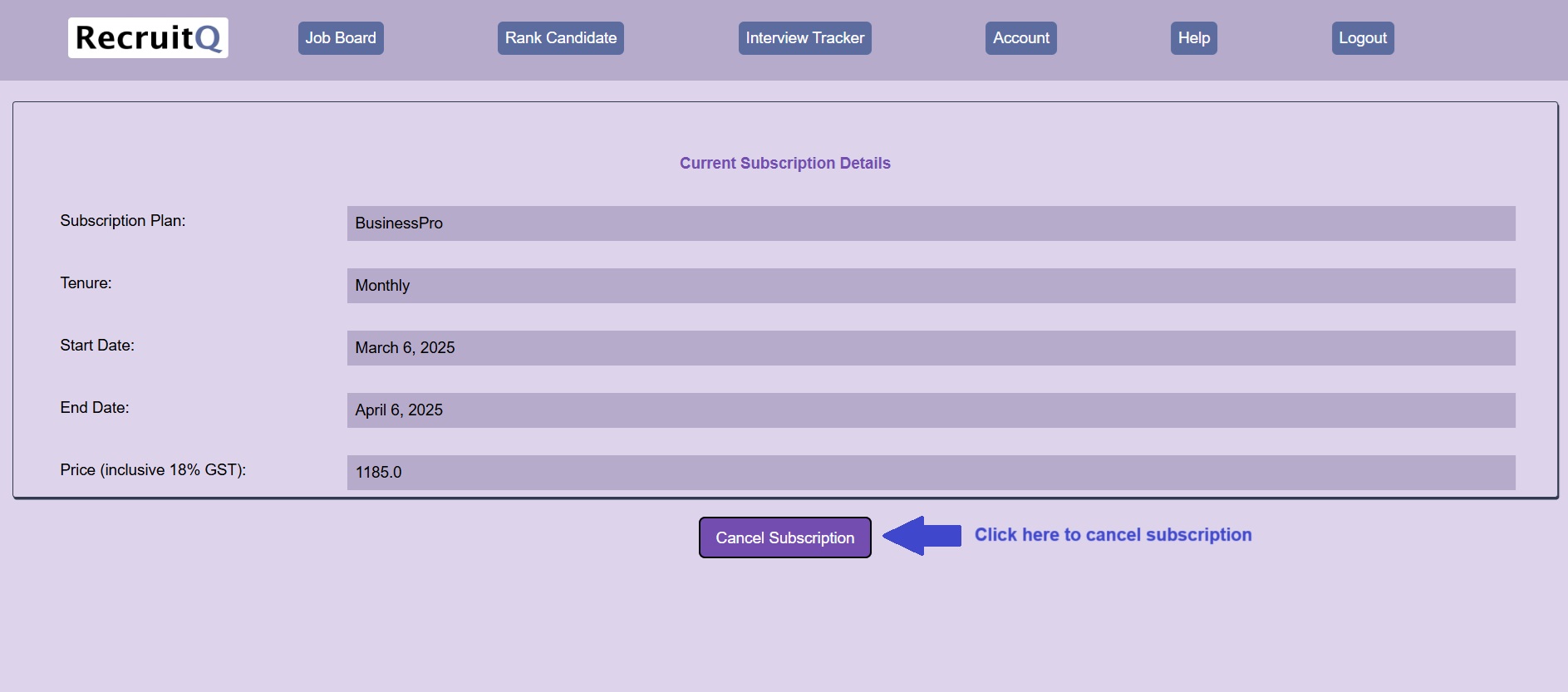
Here you will get the active subscription plan details such as subscription plan name, tenure,
start date, end date, price (inc. 18% gst)
You can also cancel the subscription any time by clicking on the Cancel Subscription button
After login into account, Please go to Account > Payment
Active Subscription
If you have an active subscription plan, then payments are not accepted and you will see a message
"Payments are accepted only if Subscription Plan is Inactive"
InActive Subscription
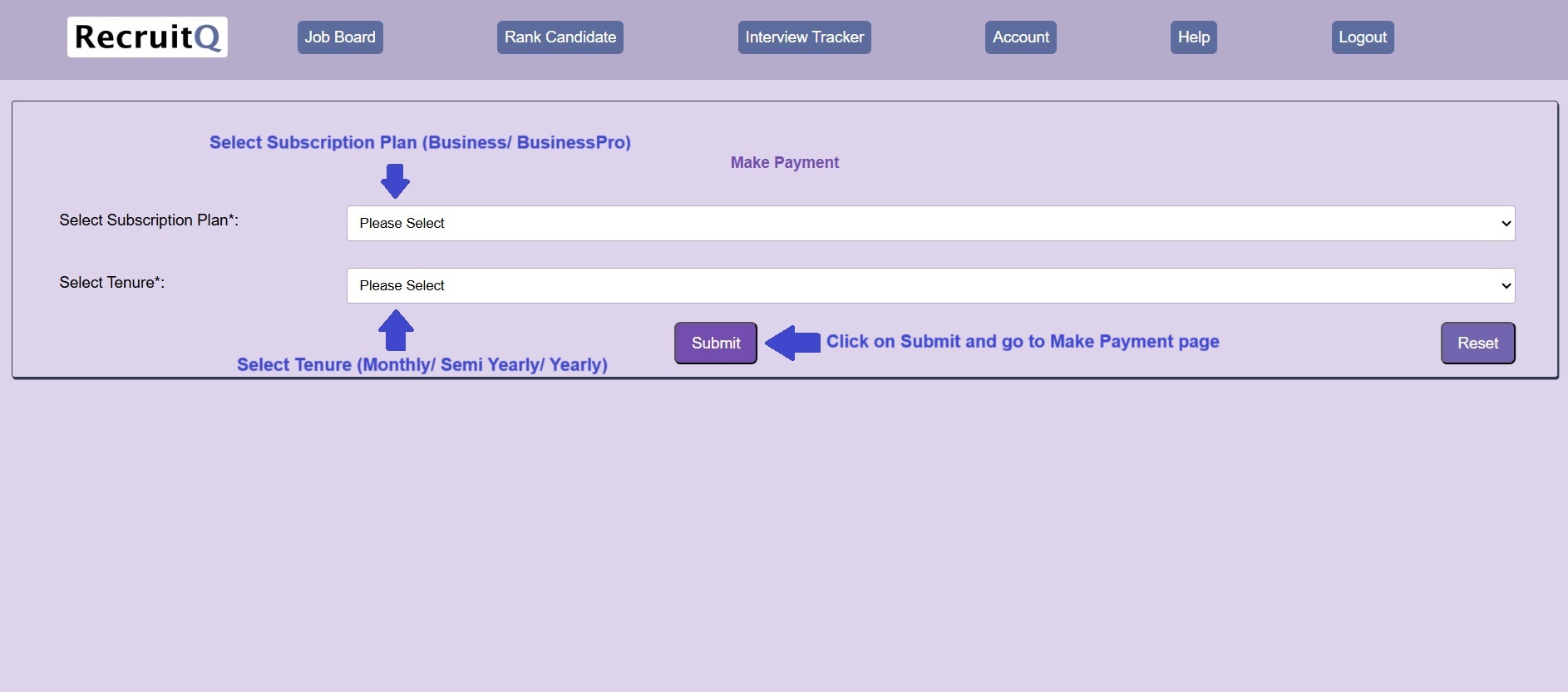
If you dont have an active subscription plan then please purchase a subscription plan
Please select the Subscription Plan (Business/ BusinessPro) and Tenure (Monthly/ Semi Yearly/ Yearly)
as per your requirement and click Submit
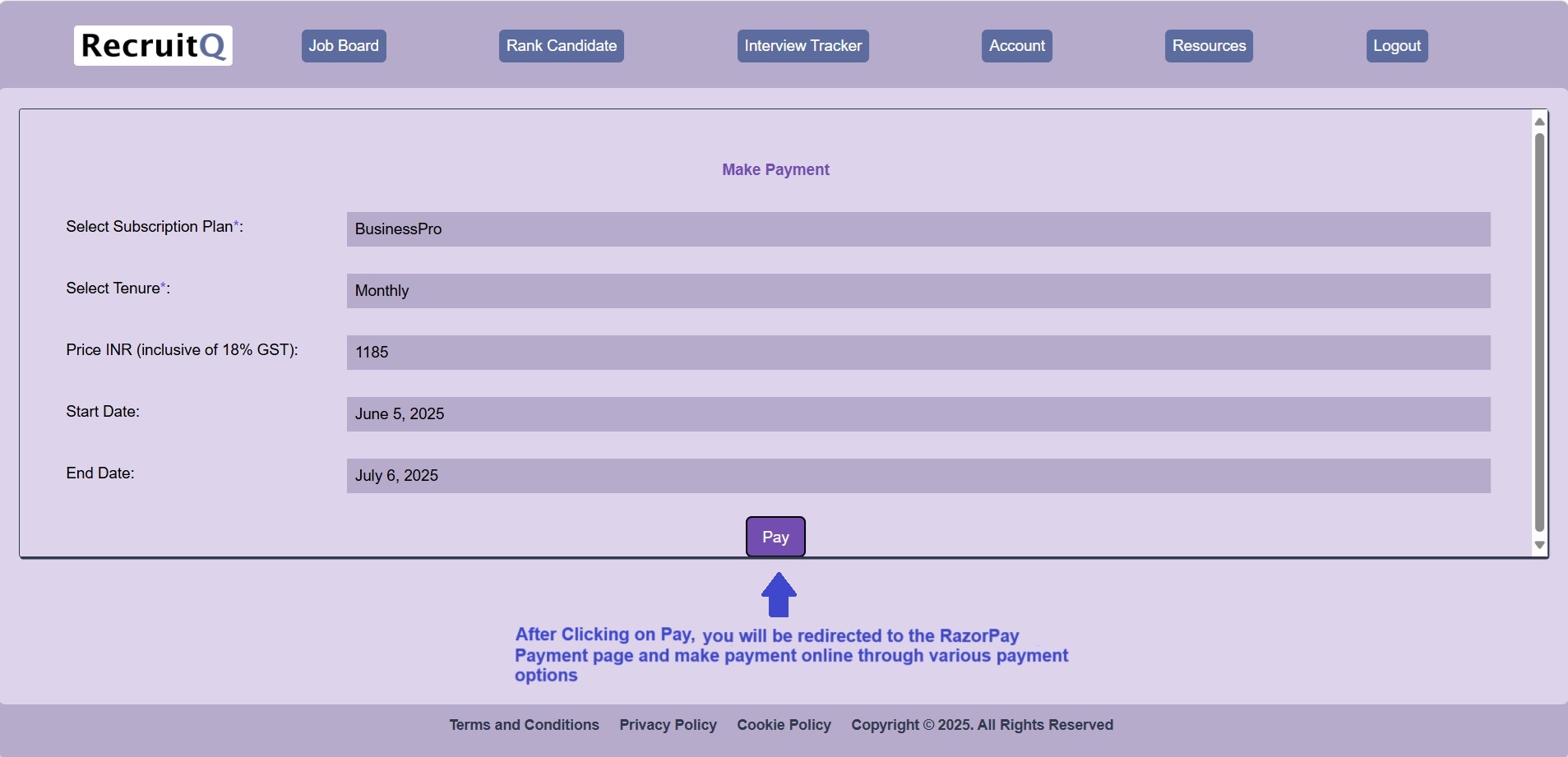
Further, follow the instructions to make the payment online through various options as available on the payment page
For more details on pricing of subscription plans, please go to Pricing page
After login into account, Please go to Account > Payment Details
Here you will find the payment details of the subscription plan purchased such as payment id, transaction id,
subscription plan name, tenure, price, payment datetime, subscription status, payment status etc.