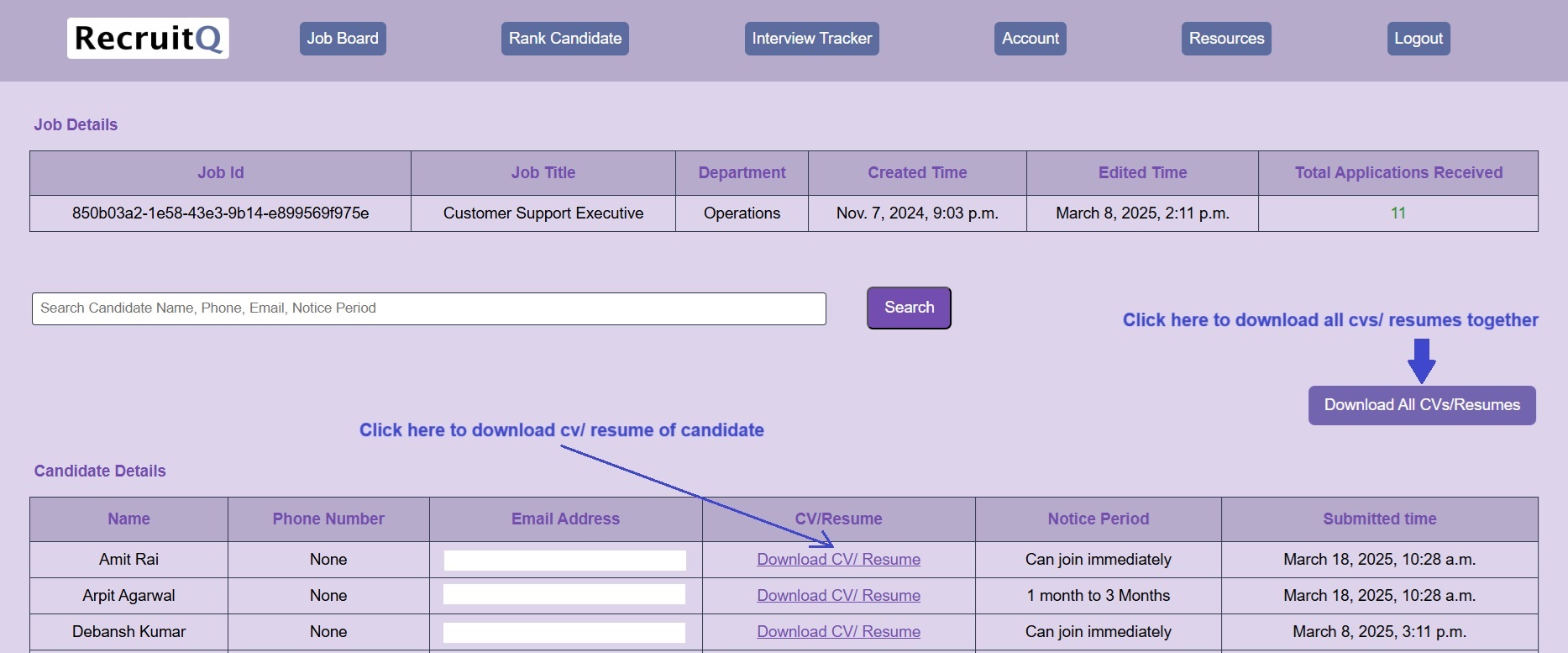
Job Board is a space where the recruitment/ hiring manager can create a job and make it active so that candidates
can apply for that job. Post application by the candidate, the recruitment/ hiring manager can view the details of the
candidate who has applied for the job along with the cv/resume. CV/Resume can be downloaded and
further used for recruitment purpose
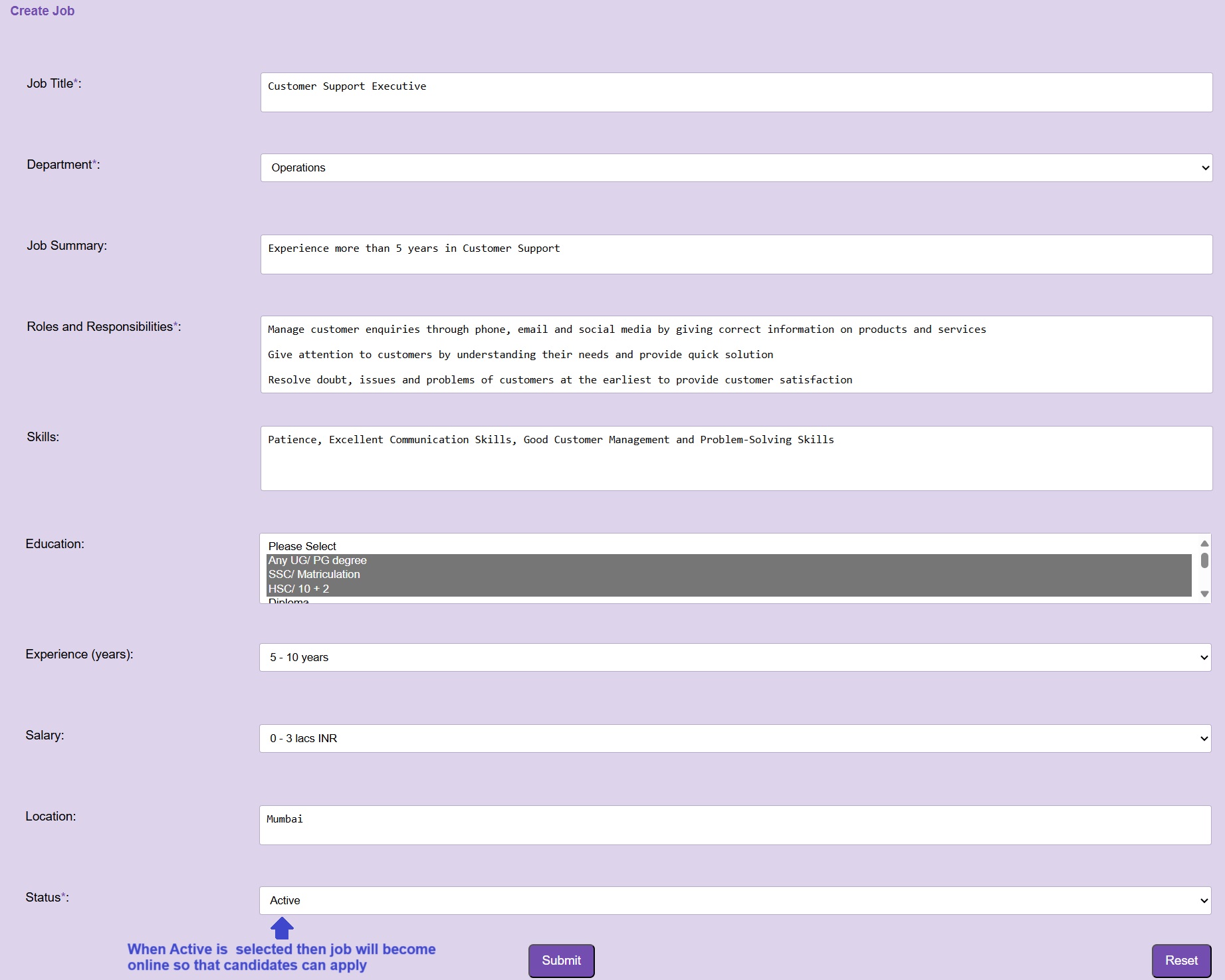
After login into Account, Please go to Job Board > Create Job
Please fill the relevant details for the job such as job title, department, job summary,
roles and responsibilities, skills, education, experience, salary, location and status. After
filling details click on Submit button to create the job which further can be edited as well as downloaded as
a pdf file
You can select a single department from the drop down. Various departments are listed in the drop down such as Human Resources, Finance, Sales, Marketing etc.
You can select one or more options from the education drop down field
Status has two options a. Active and b. Inactive. Active job is a job which a candidate can view to apply.
Inactive is a job which a candidate cannot view and hence cannot apply
After login into Account, Please go to Job Board > Job Application
All created jobs will be available here to edit as well as to download as pdf file
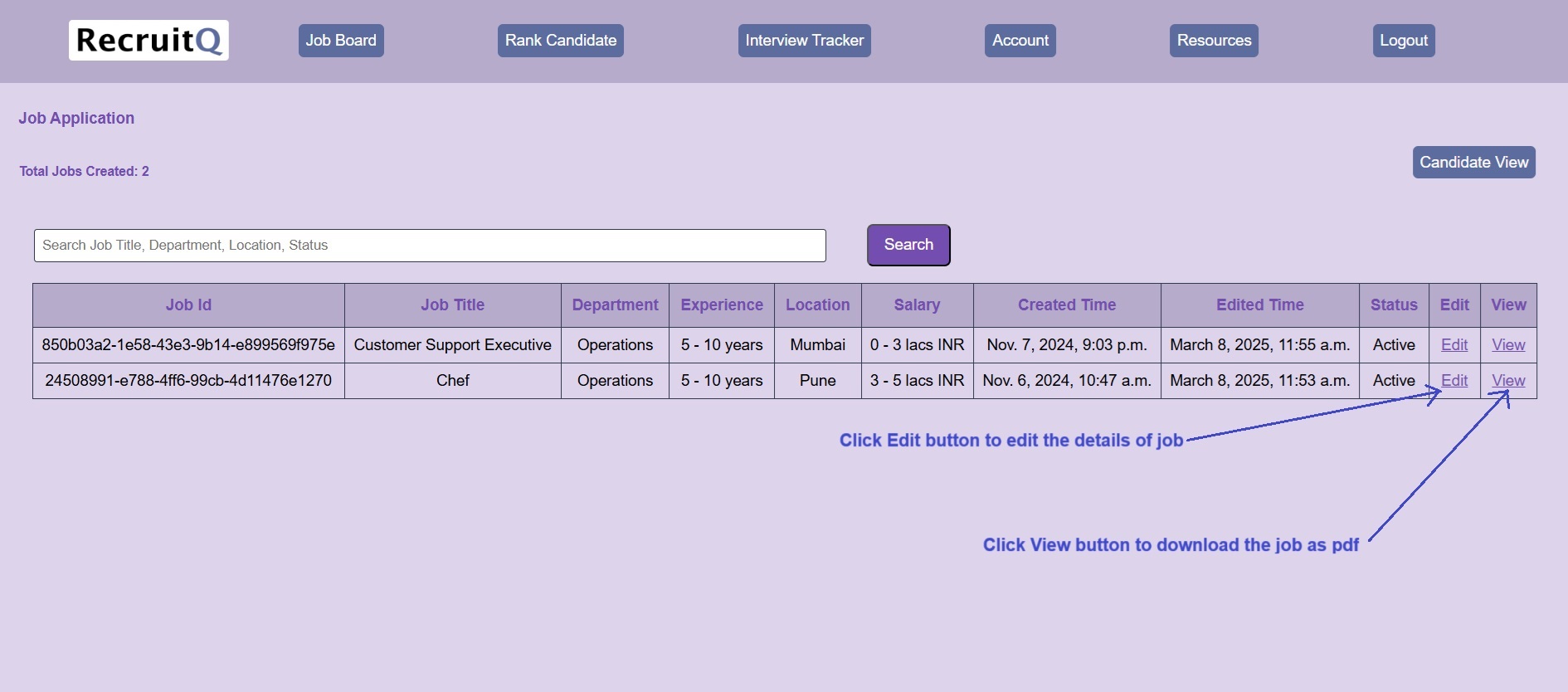
Click on Edit button to edit the Job. After making the changes, click on Save button
Click on View button to view the Job. To download the job as pdf file, click on Download
button
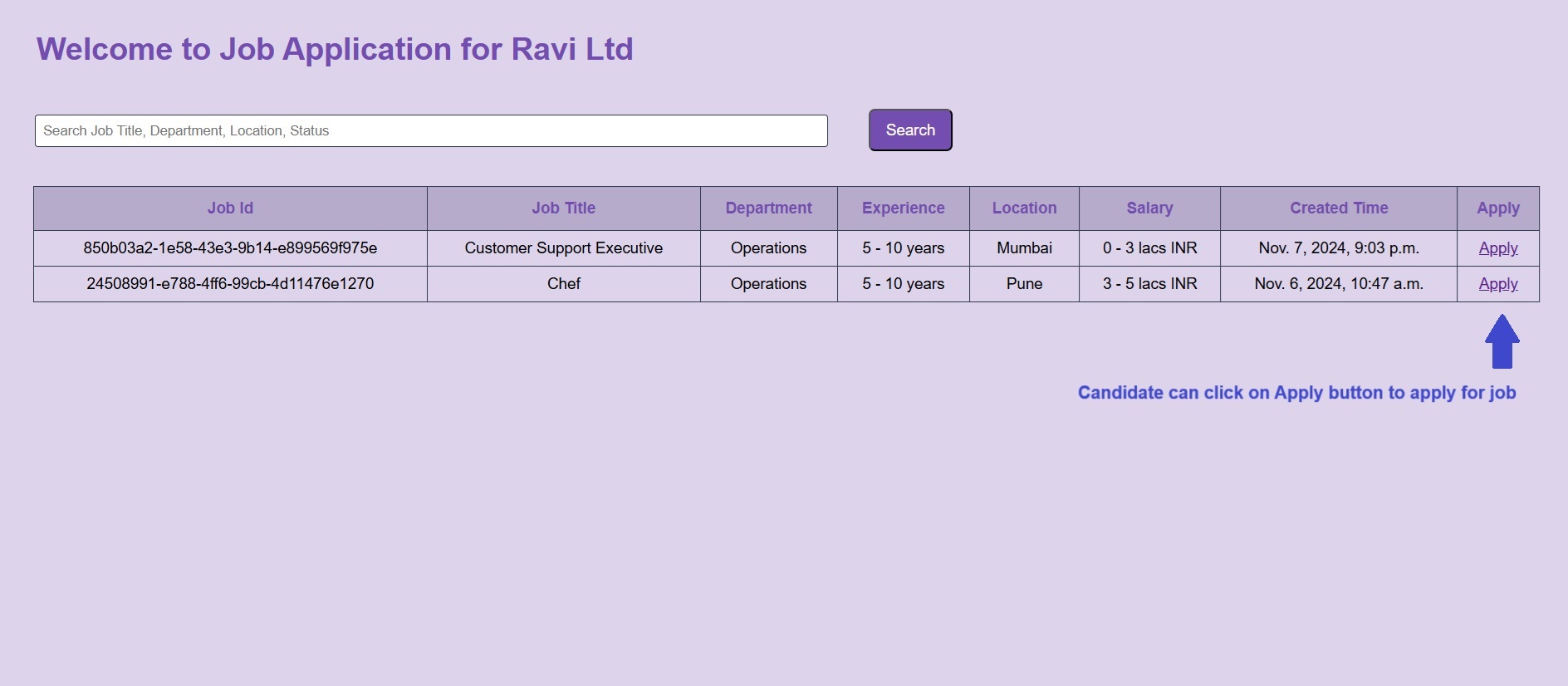
After login into Account, Please go to Job Board > Job Application > Candidate View
All active jobs will appear on this page. This page will be the career page for the organization. The link of this
page can be shared with the candidates and also can be redirected from the organization website career section.
Candidates can search and apply for the job using the Apply button
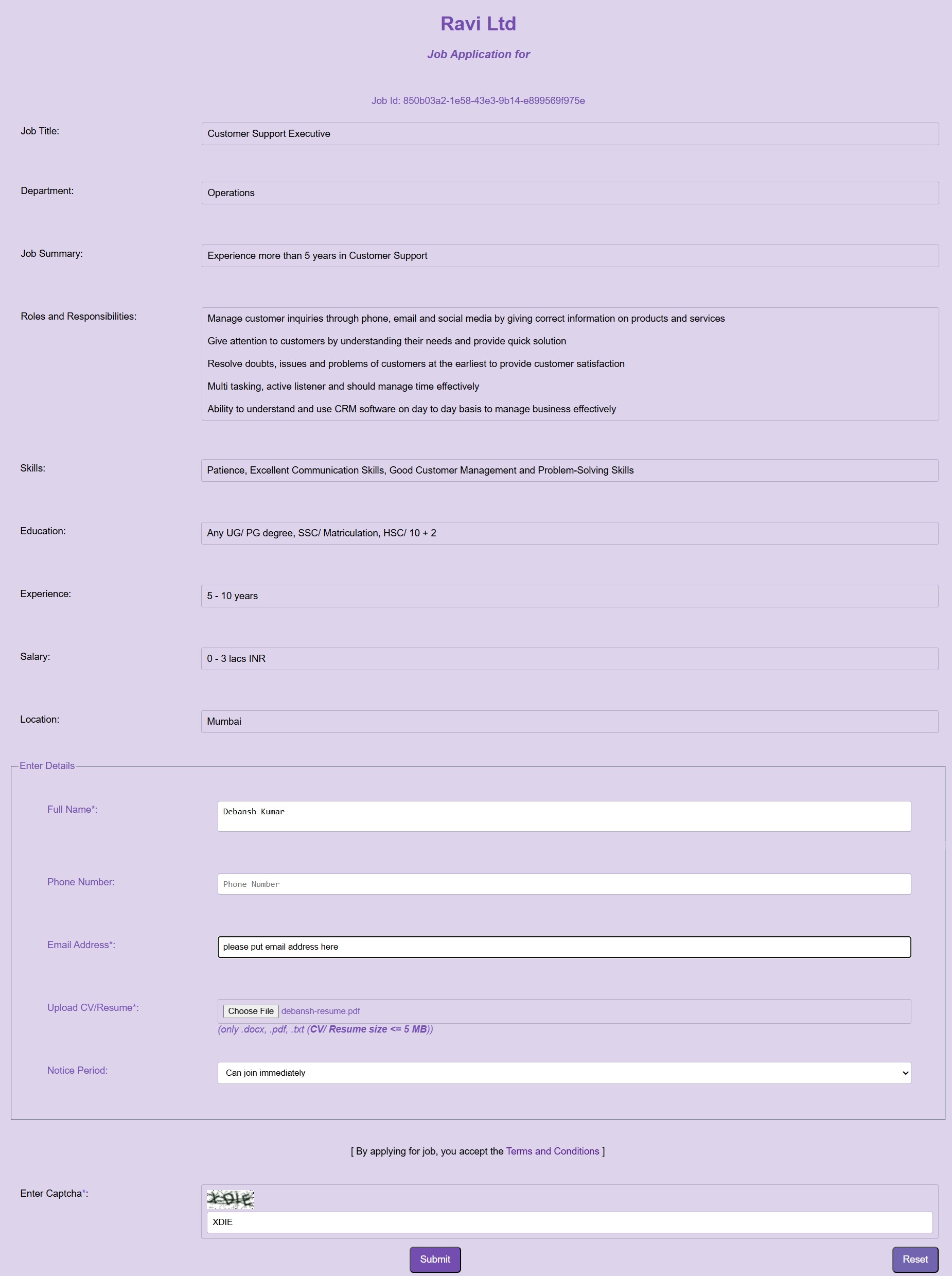
After login into Account, Please go to Job Board > Job Application > Candidate View > Apply
After filling the relevant details, the candidate has to click the Submit button to apply for the job
successfully. After successful application, the candidate will receive an email about his job application.
The link of this page can be shared with the candidates
and also can be redirected from the organization website career section
After login into Account, Please go to Job Board > Candidate Repository
Candidate repository will give information of all candidates who have applied for jobs.
Here you can view all jobs along with total candidates who applied for jobs
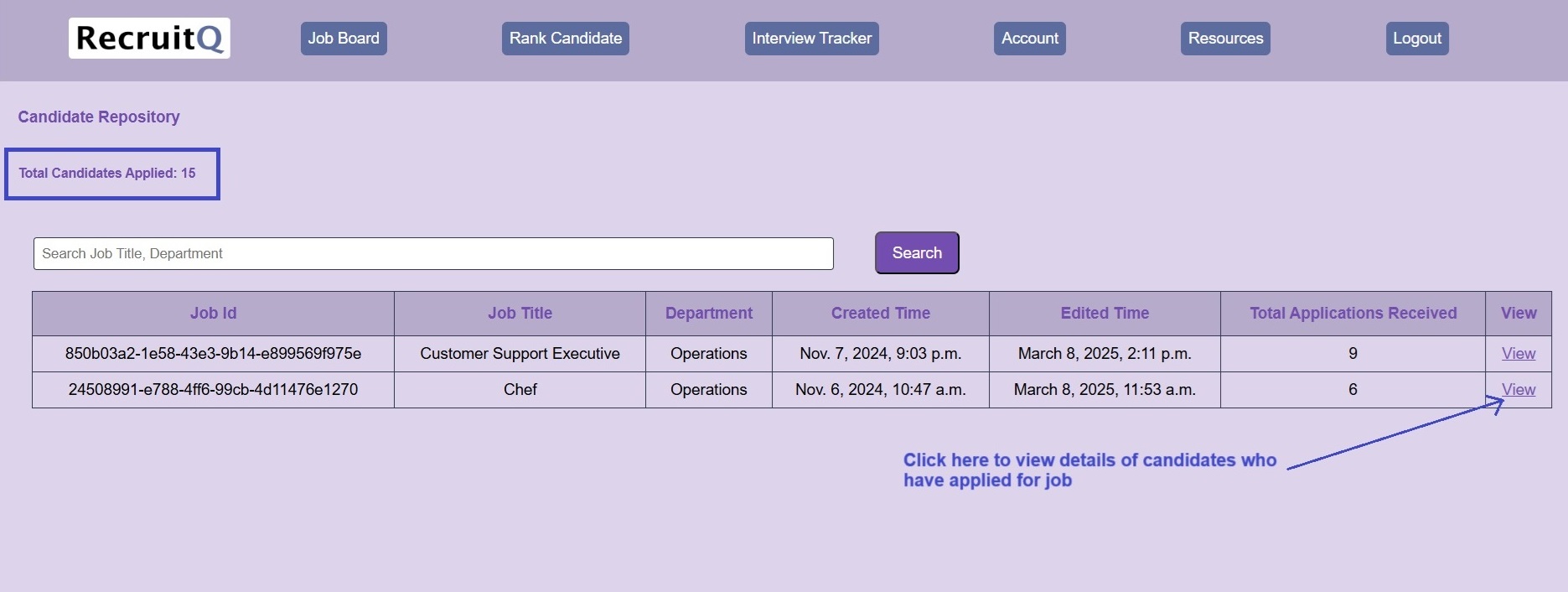
After login into Account, Please go to Job Board > Candidate Repository
Click on View button to get information of all candidates who have applied for that particular job.
Here details of all candidates can be viewed and their CVs/ Resumes can be downloaded
Click on Download CV/ Resume button to download the CV/ Resume of that candidate
Click on Download All CVs/Resumes button to download the CVs/ Resumes of all candidates together